


Click Here to go to the Google+ Event
In the twelfth hangout in our series – Work At Home Moms Strategy Hour, Erica Mueller, Janice and I will share PicMonkey tips, tricks and secrets to improve your photos and create professional looking graphics for your blog or business website.
Janice and I have huge respect for professional graphic artists and we absolutely recommend hiring professionals for important projects whenever you can afford to.
But these days, creating powerful images to share through social media and use on your blog and business website has become a regular task that you need to be able to do yourself.
In this live hangout, we will walk you through how to use #PicMonkey to edit and create pinnable, share-worthy images.
Also see our recent PicMonkey Clone Stamp Tutorial and other posts on our PicMonkey Resource Page.
If you’ve published your own PicMonkey tutorial post, add it to our linky list here.
Click Here to read the chat from participants during the Google+ Hangout On Air.
BlogHer13 Photos
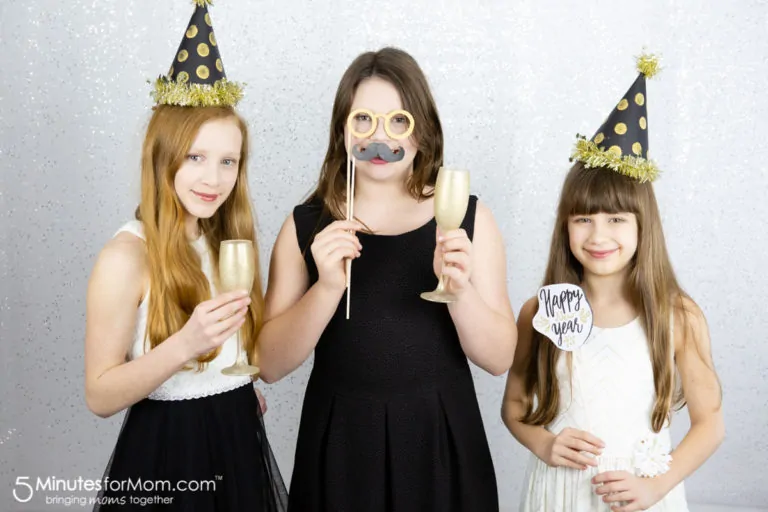
Janice was at BlogHer13 in Chicago and took photos during the conference and at many of the parties and events. We edited all the photos in PicMonkey. We ran many through their quick filters and added fun embellishments.
You can see the full set of our BlogHer13 photos in the gallery below. There are 66 photos and you can either watch the slideshow or click on the arrows to browse through them…

Watch Previous Recordings
- How to Find Legitimate #WorkAtHome Jobs
- How to Get Organized and Productive Working at Home
- How To Make Money Blogging
- How To Pitch Blog Campaigns To Brands
- Improve Your Business Visually – Photo Tips & Tricks
- How to Set Up Your Own Service Based Business
- Overcoming Personal and Business Challenges when Working at Home
- How to Organize Your Family Life so You Can Work at Home
- How To Find A Work-At-Home Job – Tips from A Professional
- Twitter Tips & Tricks to Grow Your Circle of Influence
- How To Let Motherhood Inspire and Empower Your Business #WAHMStrategy
Find out more about these #WAHMStrategy sessions that we hold every other Wednesday 10 am Pacific (1 pm Eastern) at http://www.5minutesformom.com/strategy/
Wishing Kelli Well On Her New Projects
Our friend Kelli Miller is so busy running her very successful Learn to Blog hangouts with Crystal – and she’s got something new coming up as well – so she’s stepped down from these WAHM sessions.
They’ve created a new website and will be starting an additional training program, so watch for more from them.
We’re thrilled for her successes and we’re sad to not have her on these sessions anymore.




Thanks for sharing, I really need this skill. I have some older pictures I want to spiffy up before printing to giveaway. I believe I can accomplish this from your instructions.
I had never heard of picmonkey. I love the tips and it seems easy enough to give it a try.
I will have to look into this more I am always in need of help with photos
This would be great for the kid’s pictures.
i own a small business and really appreciate learning about things like this. thanks!
i love using picmonkey for editing my photos. i love their font options and so easy to use.
Nice photos will have to look into picmonkey
Haven;t heard of picmonkey but I need this and will download!
I never have liked the photo editing software I use currently!
I love PicMonkey and purchased the yearly membership to get access to even more great tools. It is a program that easily rivals my PSE and I paid a lot of PSE. It is so easy to use. I love it!
thanks for sharing, great info!
I am going to check out Pic Monkey.
Those pictures look great, I will have to check out pic monkey
The photos look terrific and I can’t wait to get started on all the pictures I took this summer.
i love pic monkey- they are one great free website!
Your photos always look great! I wish mune looked half as nice.
I love it
nice pictures an interesting,,would be nice to try it
I would love to be able to make my pictures look so good!
Interesting. I would like to learn more.
They look very professional.
I hope I can find the time to do this when the kids are back in school!
They look great, thanks so much for sharing
All of those photos look amazing! I need to learn how to make my photos look great like these.
Cool! I’d love to learn how to create professional looking graphics!